How to Play with Stretched Resolution in CS2

Posted on in CS2
Have you ever wondered why the majority of professional players still use that weird 4:3 aspect ratio stretched format in their streams? Using a stretched resolution in CS2 is like your crosshair getting a power-up that makes your opponents more visible and your shots become more accurate. This tutorial will teach you the proper way to install, customize with your own hardware, and get all the benefits out of it for a quick ranking climb.
Cracking the Code: What Stretched Resolution Really Means
Stretched resolution in CS2 essentially is a side effect of driving the game into a more square aspect ratio, like 4:3 on your widescreen display, which visually distorts the image for that typical bubble effect. Characters morph horizontally to get your skinny CTs into fat targets that are way easier to tag, while the smaller field of view concentrates your eyesight on the action directly in front of you. It is not some error; it is an intentional selection that has been a CS tradition since the days of the original game, and CS2 unites the old with the new by keeping this seamless support.
Imagine it as looking through a funhouse mirror, where everything is slightly distorted to give you a slight advantage over others without completely changing the gameplay. However, it is a conscious decision at first that your HUD will look a bit off and the edges of the map will be narrower. But after you adjust, that strange feeling disappears, leaving you with a setup that seems like it was specially made for you to make accurate kills.
The Upside (and a Reality Check) of Going Stretched
Why bother with the interlaced resolution of CS2 when the native 16:9 is so sharp? Firstly, it tends to give you a skyrocketing frame rate, as you are drawing fewer pixels on the whole, resulting in smoother peaks and reduced stutter during clutch situations. In addition, the beefed-up enemy models virtually turn hits on the head into a bit of forgiveness, particularly when you are used to pixel-perfect tracking.
On the other hand, the FOV is smaller, allowing someone to be caught off guard by sneaky flanks, and there are complaints about the stretched appearances, which disrupt their immersion after a long session. Here is a brief analysis to allow you to consider it:
Stretched resolution, as you see, on CS2 works best in close-quarters shootouts, but to determine whether it fits your vibe, test it out in a few deathmatches. For more on honing those aggressive plays, check out our pro tips for unlocking Premier mode, where setup tweaks like this can give you that extra edge in ranked queues.
Gear Up: Step-by-Step Setup for Stretched Bliss
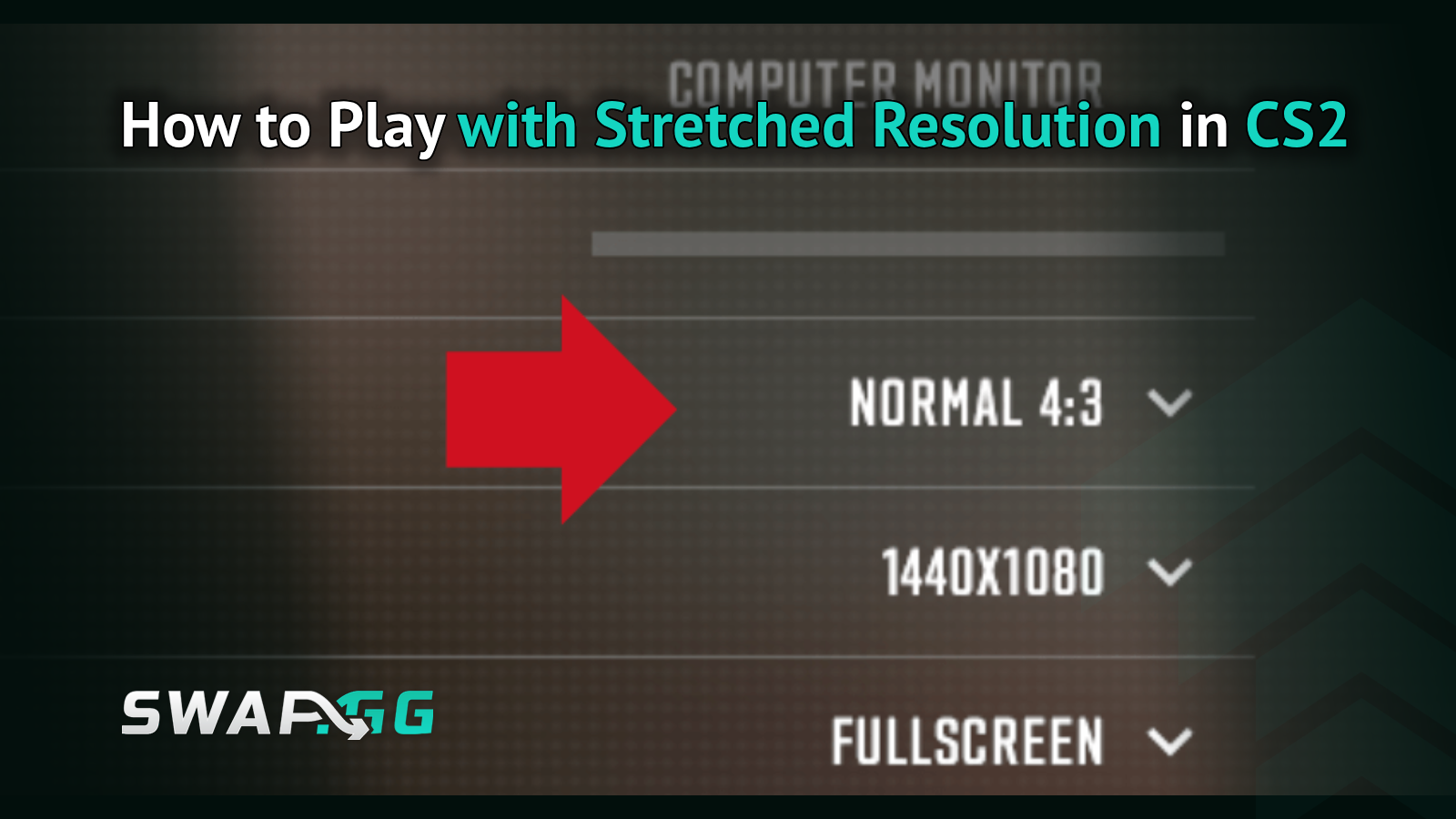
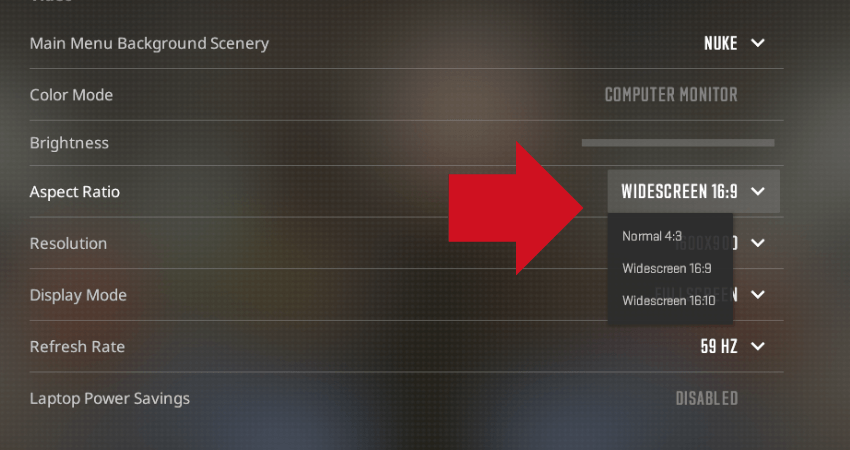
Are you ready to extend the view? It is quite easy to set up a stretched resolution in CS2; no need for any modifications or third-party hacks, Valve has already integrated it into the engine. The procedure is to launch the game, enter the settings menu, and then go to the Video tab; here, change your Display Mode to Fullscreen, as Windowed will not work for actual stretching.
After that, you will find Aspect Ratio at the bottom of the list; clicking on it and choosing 4:3 will give you resolution picks that include the old ones like 1024x768 and 1280x960. It is better to go for one that stretches your monitor's native res so as to have the stretching done most properly; e.g., if your screen is 1920x1080, using 1280x960 will make everything evenly stretched without the occurrence of black bars. Apply the settings, and if a game restart is required, do it, and you are good to go.
If the default options feel limited, a quick console command like r_fullscreen 1; mat_setvideomode 1280 960 0 in the developer console (enable it via launch options with -console) locks it in tight. Just remember to fiddle with your NVIDIA or AMD control panel afterward to enforce scaling—set it to "Full-screen" or "GPU" to avoid any fuzzy edges. For official tweaks, Valve's CS2 video settings guide has the nitty-gritty on keeping things crisp.
Fine-Tuning: Make It Yours Without the Hiccups
While stretched resolution in CS2 can be quite effective, it really smooths your sensitivity and binds that reconfigure the shift. Initially, that horizontal pull can make your mouse feel slow, so lower your DPI by one or two steps - for example, from 800 to 600 - and then adjust your in-game sensitivity until crosshair flicks are fast again. At the same time, set up Raw Input in the mouse settings for a direct line from your hand to the game without any interference from Windows.
The system of lighting and shadows is also very clever; you can get an increase in FPS by lowering Global Shadow Quality to Medium, which still gives you a decent impression of the stretched view. In addition, if the alt-tabbing results in a black screen (a bizarre stretched res phenomenon), you can either temporarily use Borderless Windowed or go for a tool like Borderless Gaming from Steam - it is quite handy when you need to switch quickly between windows. However, the truth is that the optimal adjustment is from real practice, so you better put on some bots and start working on those aim maps.
Speaking of which, if you're itching to practice without the chaos of pub servers, our guide to changing bot difficulty in CS2 walks you through spawning tough-as-nails AI to mimic pro-level duels, perfect for mastering your new stretched setup.
Wrapping the Stretch: Your Path to Pixel-Perfect Plays
Leaping to extended resolution in CS2 can initially bend your thinking about the world, but stay with it, and you will discover a configuration that magnifies your unadulterated talent to something vicious. Between the first clicks of the config and the first euphoric multi-kills, it's just a matter of trial and error until it becomes more like a natural extension of your reflexes. So tweak, train, and frag your way up, and your next ACE is just a resolution switch away.

Posted on in CS2