CS2 System Requirements 2026: What You Actually Need to Run It Well

Diposting pada di CS2
Most CS2 system requirements articles list Valve's minimums and leave it there, which means they answer the wrong question. Valve's official specs tell you whether the game will open. They don't tell you whether your frames will hold when five smokes pop on Cache in the same round, and that's the number that actually matters in a ranked match.
The July 9, 2026 Season 5 update also came in at roughly 10 GB, one of the larger patches the game has received, which means players on tight storage setups may have run into space issues they didn't have last month. This article covers what Valve officially requires, what you realistically need for competitive play, and what changed in July.
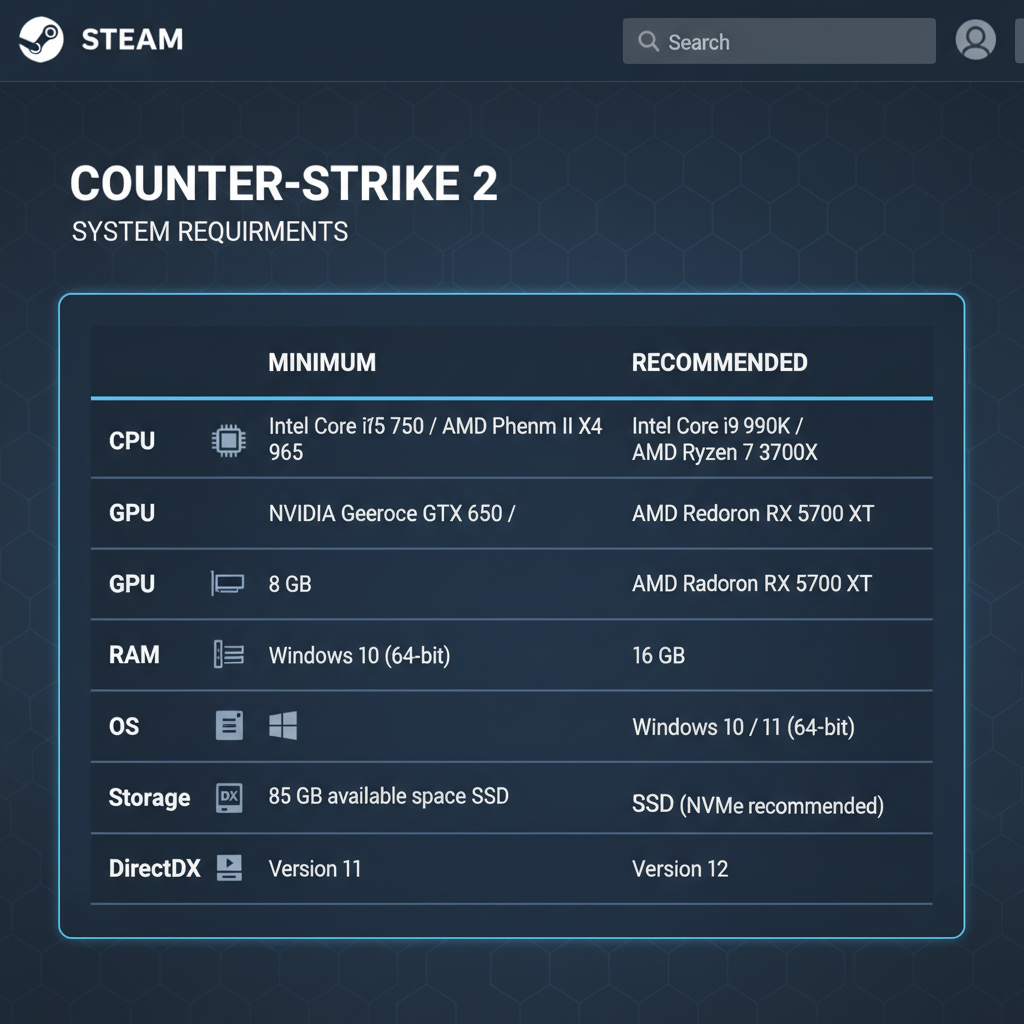
Official Valve Minimum Requirements
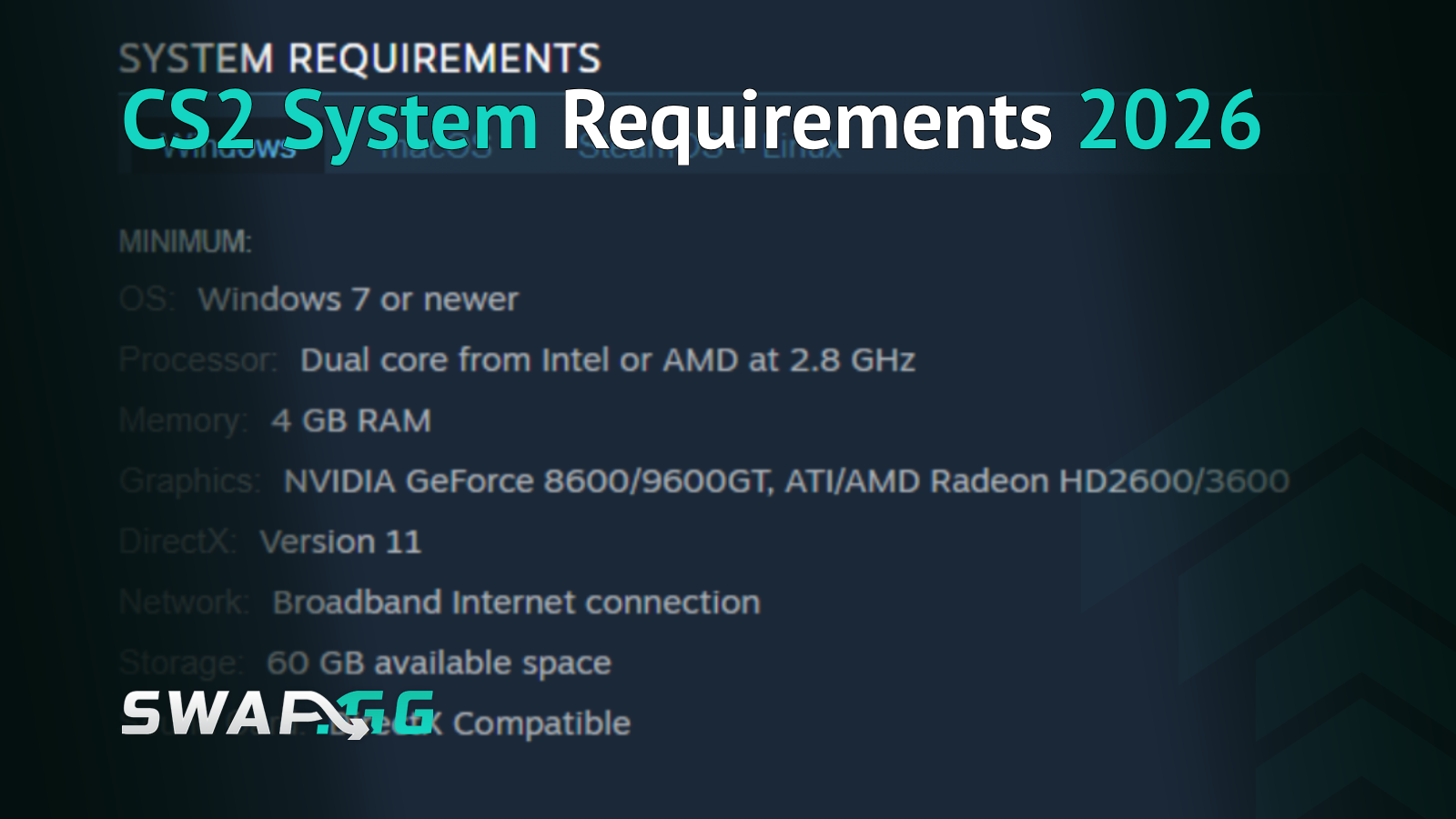
These are the specs listed on the CS2 Steam page. Valve has not updated the official minimums since CS2 launched in September 2023.
CS2 is not available on macOS. Windows and Linux/SteamOS are the only supported platforms.
One thing worth knowing about the CPU entry: Valve's official text references the older i5-750 and Phenom II X4 965, but community testing in 2026 generally treats the Intel Core i5-2500K or AMD FX-6300 as the practical floor for consistently playable framerates, per playplex.com's 2026 requirements guide. The older CPUs will technically launch the game, but your experience at that hardware level will vary.
What "Minimum" Actually Means for Competitive Play
The Valve minimums define the floor for launching CS2, not the floor for playing it well. That distinction matters more in this game than in most.
CS2 typically uses around 5-7 GB of RAM during a competitive match on standard settings, with peaks higher when effects are maxed or when several processes are running alongside the game, according to community benchmark data compiled by csgobooks2.com. On an 8 GB system, that leaves very little room for Discord, a browser tab, or streaming software, and those background processes tend to cause pressure at exactly the wrong moments. The situations that get expensive are the same ones where the minimum specs struggle: full-team executes, multiple grenades overlapping, tight duels where a single frame drop costs you the fight.
The same logic applies to the GPU. A card that meets the DirectX 11 and Shader Model 5.0 floor will run CS2, but consistent frame delivery at 1080p on Cache or Inferno requires meaningfully more than a GTX 660 in 2026. Minimum specs are the door, not the destination.
Recommended Specs for Competitive Play
Valve does not publish official recommended specifications for CS2. The figures below are practical targets based on community testing and hardware guides, including pley.gg's March 2026 requirements analysis. These are not Valve endorsements.
CS2 is more CPU-dependent than most modern games because of the hit detection, physics, and networking calculations running every tick. Because of that, the CPU upgrade tends to return more for competitive players than a GPU upgrade at the same budget. A fast six-core chip with strong single-thread performance will produce smoother frame delivery than a slower eight-core in most competitive scenarios.
Sixteen GB of RAM gives you enough headroom to run the game comfortably alongside Discord, a browser, and normal background applications without running into the pressure that 8 GB creates. For players building high-end rigs targeting 240+ FPS, some 2026 guides suggest 32 GB, though 16 GB covers the vast majority of competitive setups.
What the July 2026 Season 5 Update Changed
CS2's Season 5 update shipped on July 9, 2026, as one of the larger patches in recent memory at roughly 10 GB. Based on Valve's official patch notes and confirmed coverage from ginx.tv, ghacks.net, and hellcase.com, these were the main changes.
Cache is now in the Active Duty map pool for Premier, replacing Overpass. Cache has longer sightlines and more open areas than most of the current pool, which puts more demand on frame consistency in wide duels and angles. If your setup was already borderline on other maps, Cache is where you'll feel it first.
C4 explosion damage was reworked. Instead of damage applying instantly across the blast radius, it now spreads outward as a shockwave from the planted bomb. A health bar preview also appears once the bomb becomes audible, showing your approximate incoming damage. This changes timing decisions around retakes and survival plays, though it doesn't affect hardware requirements.
General stability improvements were included per Valve's patch notes, described as engine-level changes. The practical effect varies by hardware and isn't predictable without testing on your own setup.
The Arabesque and Spy Tech Armory collections were also added, along with five community maps. The official system requirements listed on the Steam page were not changed as part of this update.
Storage: What the 85 GB Requirement Actually Means
The 85 GB figure on the Steam page is a reservation for space, not the final install size. As of mid-2026, CS2 typically sits around 35-50 GB on disk after installation, with the variation depending on Workshop content, installed community maps, and accumulated patch data, per tradeit.gg's June 2026 install size guide and other 2026 sources.
The 85 GB requirement exists because Steam needs working space to download, decompress, and stage updates before swapping them into the live game files. The July 2026 patch was roughly 10 GB to download, but it expands during installation. On a drive with only around 50 GB free, a patch like this can fail or require manual file cleanup before it completes. That's the reason the free space requirement is set so much higher than the actual install: Valve needs room to work.
A practical guideline: keep at least 80 GB free on the drive where CS2 lives if you want patches to install without interruption. After a patch settles, the reserved staging space is freed up, but you'll need it again for the next major update.
SSD versus HDD matters beyond load times. CS2 on a mechanical hard drive produces noticeably slower map loads and can cause mid-match micro-stutters when certain visual effects are loaded for the first time, which typically happens in the early rounds of a map. Community testing shows the difference is most visible in load speed rather than in-match FPS, with SATA SSDs and NVMe drives both cutting map load times dramatically compared to HDDs. An SSD isn't in Valve's official requirements, but installing CS2 on one is one of the more practical improvements available to players still running mechanical drives.
Linux and SteamOS
CS2 on Linux requires an AMD GCN+ or NVIDIA Kepler+ GPU with up-to-date Vulkan drivers, per the Steam page. VK_EXT_graphics_pipeline_library support is also flagged in community guides as relevant for driver compatibility. On Linux, keeping GPU drivers current matters more than on Windows because the Vulkan driver stack version affects actual performance in ways that the GPU spec alone doesn't capture.
CS2 has no macOS version and no announced plans for Mac support.
FAQ
Can I run CS2 on 8 GB of RAM? Yes, 8 GB meets Valve's minimum and the game will run. In practice, CS2 often uses around 5-7 GB of RAM on its own during play, with higher peaks on maxed settings or with heavy effects active. That leaves very little room for Discord, browsers, or other background software on an 8 GB system, and frame drops during intense moments are more common at this level. Upgrading to 16 GB is one of the most reliable performance improvements available.
How much storage space does CS2 actually use in 2026? After installation, CS2 typically sits around 35-50 GB on disk depending on your content. The 85 GB free space requirement on the Steam page is a buffer Valve uses to ensure there's room for patches to download and decompress. The July 2026 Season 5 update was roughly 10 GB, so keeping adequate free space matters, especially after major updates.
Did the July 2026 CS2 update change the system requirements? No. Valve's official minimum specifications on the Steam page have not changed since CS2 launched in September 2023. The July 9, 2026 update brought Cache to the Active Duty map pool, a C4 explosion rework, engine stability improvements, and new Armory collections, but the listed hardware requirements were unchanged.
Does CS2 run on Mac? No. CS2 is available on Windows and Linux/SteamOS only. There is no macOS version and Valve has not announced plans to add one.
Is an SSD required for CS2? It's not listed in Valve's official requirements, but the practical difference is noticeable. CS2 on a mechanical hard drive loads maps much more slowly and can cause mid-match stutters when certain effects load for the first time. Installing on an SSD is one of the simplest performance improvements for players still using HDDs.

Diposting pada di CS2