How to Avoid CS2 Skin Scams in 2026: Complete Safety Guide

Geplaatst op in CS2
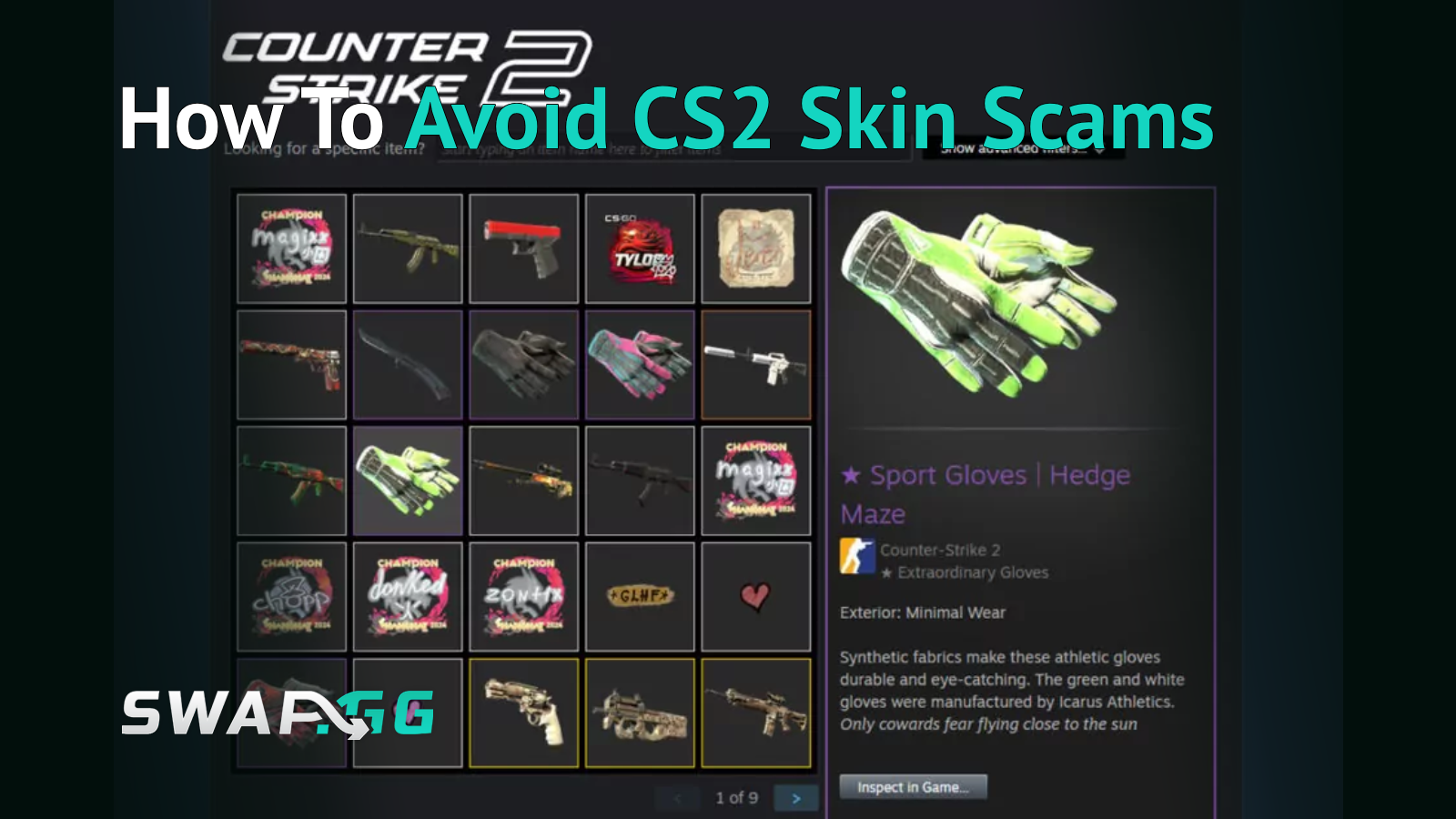
You confirm a trade in the Steam Mobile Authenticator, the same way you have a hundred times before, and three seconds later your inventory is empty. That moment is the entire scam, compressed into a single tap you barely had time to think about. Individual CS2 items now routinely sell for $1,000 to over $1,000,000, and that kind of money attracts professionals who have moved well past sending fake links and hoping someone clicks. The scams active in 2026 are built around exploiting the exact moment of trust where a real player lets their guard down, and one of them, the off-platform cash deal abuse described later in this guide, is a genuinely new risk vector that did not exist before Valve's own security overhaul in mid-2025.
A note before starting: the scam types below are a mix of confirmed, widely documented patterns and editorial risk categories based on how scammers are currently observed abusing Steam and third-party trading workflows. Where something is established Steam behavior, this guide cites it directly. Where something is community-reported or subject to editorial judgment, it is framed accordingly.
Why CS2 Skins Are a Prime Target in 2026
The CS2 skin market is a multi-billion-dollar ecosystem, though the exact figure swings significantly depending on which tracker and which date you check, anywhere from roughly $5 billion to over $7 billion across different market-cap trackers in 2026, reflecting how volatile this particular economy has been since the October 2025 trade-up changes. That scale is built on an open Steam trading layer combined with dozens of third-party marketplaces, which together create far more attack surface than a closed, single-platform economy would. A handful of individual items, rare knives, fixed-supply collector skins, premium gloves, are worth more than most people's monthly income, which makes a single successful hijack worth a scammer's time and effort in a way that targeting low-value accounts never would be.
Most CS2 scams are also functionally difficult to reverse once they happen, because in the eyes of Steam Support you voluntarily confirmed a trade. In many cases, Steam Support does not restore items lost through a confirmed trade, which is why prevention matters more here than the recovery process. Your account's security is treated largely as your own responsibility. That is part of why prevention matters more in this economy than almost any other category of online scam, since the strongest recovery option available, Trade Protection's reversal window, only applies while the item is still within its 7-day protected status.
The Most Dangerous CS2 Scams in 2026
The ordering below reflects editorial judgment based on frequency and severity reported across multiple trading platforms and guides, not a formal ranking from any single authoritative source.
Steam API Key Scam (Trade Redirection)
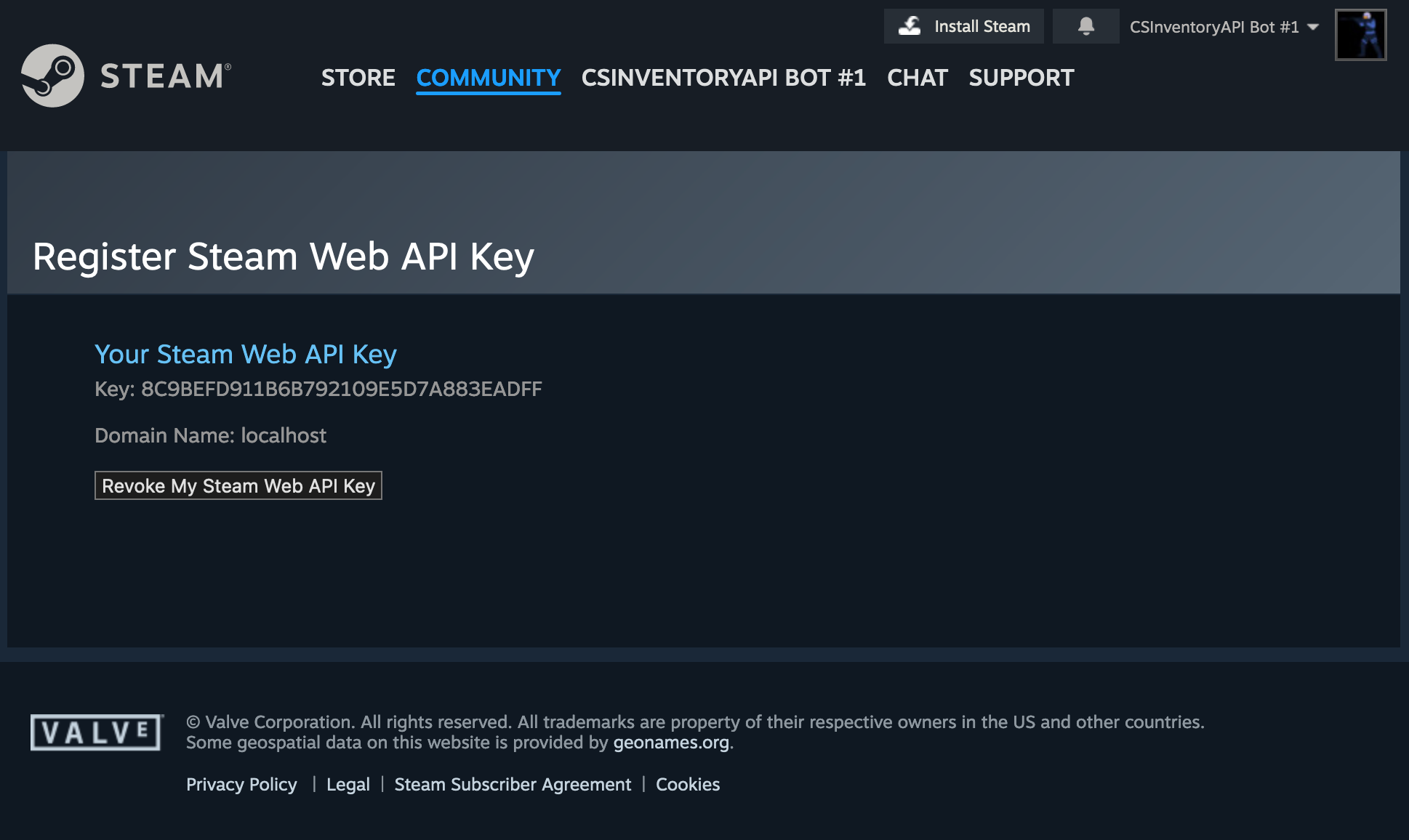
Definition: The Steam API Key Scam is an attack where a scammer tricks you into generating a Steam Web API key on a malicious site, then uses that key to monitor your account and intercept or redirect your outgoing trade offers toward an account they control.
The mechanism works in stages: you're lured to a fake site through a phishing link, free item offer, or fake tournament, and logging in there silently generates an API key tied to your account. When you later initiate a real trade, the scammer's script tracks it and intercepts the offer, sending a substitute trade from an account dressed up with the same nickname and avatar as your intended trade partner. The spoofed trade can appear in your Steam Mobile Authenticator in place of the real one, and a rushed confirmation sends your items to the scammer instead. Multiple trading platforms and security guides describe this as one of the most frequently reported and effective scam categories currently active, in our assessment specifically because the fraudulent trade window looks completely legitimate at the moment you confirm it.
Prevention:
- Check your API key page at steamcommunity.com/dev/apikey regularly. If a key appears that you did not personally create, revoke it immediately and change your password.
- Add a cheap "decoy item," like a $0.01 sticker, to a trade. If the partner's side of the offer appears empty when you check the mobile confirmation, the trade has likely been intercepted, and you should cancel immediately.
- Check your trade offer history at steamcommunity.com/id/yourname/tradeoffers/ before confirming anything. Two nearly identical offers, one cancelled and one pending, is a clear sign of interception in progress.
Phishing and Fake Trading Sites
Fraudulent sites that mimic real marketplaces are still one of the oldest tricks in CS2 trading, but the execution has gotten sharper. Scammers now build pixel-perfect copies of legitimate sites with URLs that differ from the real domain by a single character, distributed through search engine ads and Discord links rather than obvious spam. The clearest tell is this: if you are already logged into Steam in your own browser, a genuine site will never ask for your password again. It only needs a "Sign In with Steam" button click. Any login form asking for a password on a third-party trading site is a red flag by default.
Legitimate platforms may use Steam login or API-based automation for genuine trade features, but you should only trust platforms you can independently verify, and never enter credentials on a site you reached through an ad, a DM link, or an unfamiliar domain rather than typing it yourself.

Prevention: Never click search ads for trading platforms. Type URLs manually or use saved bookmarks. If a login page requests your two-factor code outside of Steam's own official popup window, treat it as a scam in progress and close the tab.
Accidental Report and Steam Admin Impersonation
This is a generic support-impersonation pattern, not a formal Steam process. A stranger, or a friend whose account has been compromised, messages you claiming they accidentally reported your account for illegal items, and that a "Steam Admin" needs to verify your inventory by having you send items to a safety bot or share your screen. No legitimate recovery process works this way. No third party can recover stolen Steam items, only Valve's actual Steam Support can, and Valve's real support never operates through Discord DMs or in-game chat.
Prevention: Block and report immediately. There is no version of this scenario where complying is the correct response, regardless of how convincing or urgent the message sounds.
Item Switch and Camouflage Trades
In a Quick-Switch, a trader displays a genuinely valuable item, a Factory New Doppler, for example, then swaps it for a Battle-Scarred or low-tier version in the trade window the instant before you click Accept. Camouflage works differently: a single expensive knife or pair of gloves gets buried inside a trade offer stuffed with hundreds of cheap items, betting that you click "Accept All" without inspecting every line.

Prevention: Hover over and individually verify every item in a trade window before confirming, every time, regardless of how many trades you have done with that person before. For bulk trades, use the Summary view rather than scrolling, since it surfaces total value discrepancies far faster than scanning a long item list manually.
Streamjacking and QR Code Hijacking
Hijacked high-subscriber streaming channels broadcast fake giveaways featuring a QR code. The code does not log you into a giveaway page. Scanning it with your Steam Mobile app transfers your Steam Guard session directly to the scammer's device, handing them full account access without ever touching your password.
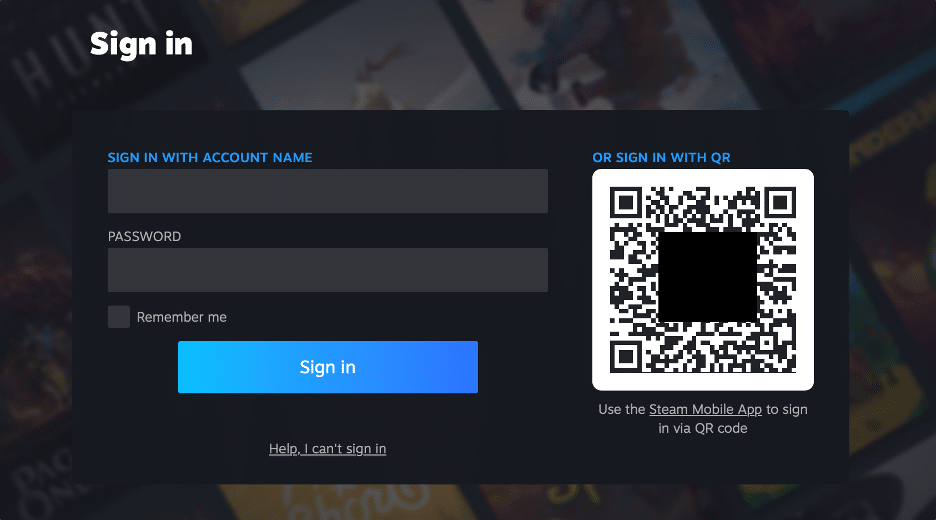
Prevention: Only scan QR codes presented through official Steam domains (steamcommunity.com, steampowered.com). No legitimate pro player, streamer, or giveaway requires you to scan a QR code to "claim" anything.
Discord and Telegram Scam Bots
Automated bots in public CS2 Discord servers send unsolicited DMs about season rewards or surprise giveaways, linking to convincing phishing pages built specifically to capture session tokens in real time and bypass standard two-factor protection.
Prevention: Treat every unsolicited DM with a link as hostile by default. No legitimate giveaway, season reward, or platform promotion is distributed through random server DMs.
Fake Middleman and Reputation Scams
Scammers build detailed impersonator profiles of well-known traders or pro players, then suggest using a "trusted middleman" for a cash deal who is actually their own accomplice or alternate account, designed specifically to hold your items or money during the supposed safety period.
Prevention: Only use the built-in escrow systems on reputable trading platforms. A middleman introduced by a stranger, no matter how convincing their reputation appears, is not a safety mechanism.
Fake Game and Imitation Items
Scammers trade items from worthless, non-Valve games that are deliberately named and skinned to resemble real CS2 items, a "Butterfly Knife | Marble Fade" that is in fact from an entirely different, valueless game.
Prevention: Check the game title listed directly under the item description before accepting any trade. If it does not say Counter-Strike 2, it is not a CS2 item regardless of how the name and icon look.
Trade Protection Reversal Abuse in Off-Platform Cash Deals (New Since 2025)
This is the risk category competitor guides cover the least, despite it being a direct consequence of Valve's own security update. Valve's Trade Protection, introduced in July 2025, adds a seven-day window during which protected items can be reversed. That feature was meant to help victims of account compromise, but it also creates a real risk in direct cash trades outside Steam: if you pay a seller through PayPal, crypto, or any external method, and they reverse the trade during the protected window, the item returns to their inventory while your payment is generally not recoverable through any built-in mechanism. The seller ends up holding both the money and the item back. This is an abuse scenario the reversal feature's design enables in off-platform cash deals, not a scam type Valve has specifically named or documented.
This works because of a structural asymmetry between how Steam trades and external payments behave. Trades can be reversed within the 7-day window, but real-money payments made through PayPal, crypto, or any external method generally cannot be undone the same way once they've cleared. This is part of why many reputable third-party platforms now hold seller funds in escrow for the full 7-day window rather than paying out instantly, though escrow policies vary by platform and should be confirmed directly before relying on them.
Prevention: Never pay an individual seller in cash, crypto, or PayPal for a direct Steam trade outside an escrow platform. If a deal cannot wait through a 7-day hold on a trusted marketplace, that urgency is itself the warning sign.
Valve's 2025-2026 Security Changes Explained
Definition: Trade Protection is a Valve security feature introduced in July 2025 that marks every CS2 item received through a trade with a 7-day protected status. During that window the item can be equipped and used in-game immediately, but it cannot be retraded or modified during the protected period.
If your account is compromised during that 7-day window, Valve lets you reverse eligible trades from the past 7 days through Trade History, with no evidence or support ticket required. This is an all-or-nothing mechanism by design: it reverses all reversible trades within the eligible window rather than letting you pick a single trade to undo while keeping others intact, and reversal is only possible while items remain within their 7-day protected status.
Initiating a reversal carries a real cost. Reversing trades triggers a 30-day trading and Steam Community Market restriction on your account, which Steam Support cannot remove or shorten under any circumstance, and the account is signed out as an additional security step. This trade-off is deliberate, designed to prevent the reversal feature itself from being abused for profit, but it means reversal should be treated as a genuine last resort for confirmed compromises, not a casual undo button.
This feature is a newer rollback-style mechanism layered on top of CS:GO's older trading restrictions, not simply the same 2018 system under a new name. The 2018 trade-hold delays an item from being re-traded for a set period after a transfer. Trade Protection adds the reversal capability on top of that existing restriction, which is the genuinely new layer introduced in mid-2025.
Essential Security Setup Checklist
A handful of habits cover the overwhelming majority of attack vectors active right now:
- Enable Steam Guard Mobile Authenticator, not email-based authentication. It is required for trading and is meaningfully harder for an attacker to bypass remotely.
- Use a unique, strong Steam password that is not reused anywhere else.
- Secure your email with its own two-factor authentication. Your email is the recovery path into your Steam account, which makes it as valuable a target as Steam itself.
- Verify a trade partner's profile before trading: Steam level, account age, and friend status all take seconds to check and catch the majority of impersonation attempts.
- Never scan QR codes from streams, Discord, or DMs.
- Never trust a self-described "Steam admin" contacting you through Discord or Steam chat. This contact method does not exist for legitimate Valve support.
- Confirm every high-value trade through the Steam Mobile Authenticator, checking the partner's items and identity carefully before tapping confirm, rather than relying on the desktop client alone.
- Check your API key page regularly at steamcommunity.com/dev/apikey, and revoke anything you did not personally create.
- Deauthorize all devices immediately after any suspected compromise.
- Run regular malware scans. Keyloggers and malicious browser extensions remain common, low-visibility attack vectors.
- Never send items first in a cash deal. Use platforms with built-in escrow instead of direct peer-to-peer trust.
What to Do If You Get Scammed
If you believe you have just been scammed, act in this order, immediately:
- Change your Steam password from a clean, trusted device.
- Revoke your Steam API key if one exists that you did not create.
- Deauthorize all devices tied to your account.
- Cancel any pending trades before they can be confirmed.
- Contact Steam Support directly to create an official record of the incident, even if recovery is not guaranteed.
- Run a full malware scan on the device you were using.
- Warn affected friends, since compromised accounts are routinely used to phish the victim's own contact list next.
If the loss happened within the past 7 days and involves items still within their Trade Protected window, you can reverse eligible trades through Trade History, but understand this triggers the automatic 30-day trading and market restriction with no exceptions, even from Steam Support. Once an item's 7-day window has expired, reversal is no longer available regardless of circumstances.
Recommended Safe Trading Practices
Use established marketplaces with escrow systems where the platform holds both items and payment until each side confirms, rather than arranging direct cash deals with strangers for anything worth more than a small amount. Never conduct trades exclusively through DMs, since legitimate deals happen on-platform where a record exists and a dispute process is available if something goes wrong. If a deal feels urgent, pressured, or unusually generous relative to market value, treat that pressure itself as the clearest signal something is off.
FAQ
What is the Steam API Key Scam and how do I stop it? A scammer tricks you into generating a Steam Web API key on a fake site, then uses it to intercept your legitimate trades and redirect them toward an account dressed up to look identical to your trade partner. Checking steamcommunity.com/dev/apikey regularly and revoking any key you did not create is the most direct protection.
What is CS2 Trade Protection and when did it start? Trade Protection is a Valve security feature introduced in July 2025. Every CS2 item received in a trade is marked protected for 7 days, during which it can be used in-game but not retraded or modified. If your account is compromised, you can reverse eligible trades from the past 7 days through Trade History, though doing so triggers an automatic 30-day trading and market restriction, and reversal only works while items remain inside that 7-day window.
Can Steam Support get my scammed skins back? Often not, if you voluntarily confirmed the trade. In many cases Steam Support does not restore items lost through a confirmed trade, which places real weight on prevention. The main recovery path is the Trade Protection reversal window, which only applies to items still within their 7-day protected status.
Is it safe to give a third-party marketplace my Steam API key? Some legitimate platforms use Steam login or API-based automation for genuine trading features. The risk is not the existence of an API key itself, but logging into unfamiliar sites that silently generate one without your knowledge through a fake giveaway or phishing page rather than a transparent, stated request.
What is Trade Protection reversal abuse in cash deals? A scammer completes a cash trade with you, accepts your payment through an external method like PayPal or crypto, sends the skin, then reverses the trade through Steam's 7-day Trade Protection window after already keeping your money. The item returns to the scammer's inventory while your external payment generally cannot be recovered. Using an escrow-based marketplace instead of direct cash deals is the primary defense against this risk.

Geplaatst op in CS2