CS2 7-Day Trade Lock Explained: What Changed in 2025 and What Didn't

Опубліковано у CS2
Most guides on this topic explain one system, but there are actually two, both involving seven days, both affecting when you can trade your skins, and almost every article written about the "7-day trade lock" treats them as the same thing. They're not. Confusing them is how traders make decisions based on rules that don't apply to their situation.
The 2018 trade lock and the 2025 Trade Protection update look similar on the surface because they share the same timeframe. Mechanically, they do completely different things, they trigger under different conditions, and violating the rules attached to one of them carries consequences the other doesn't have.
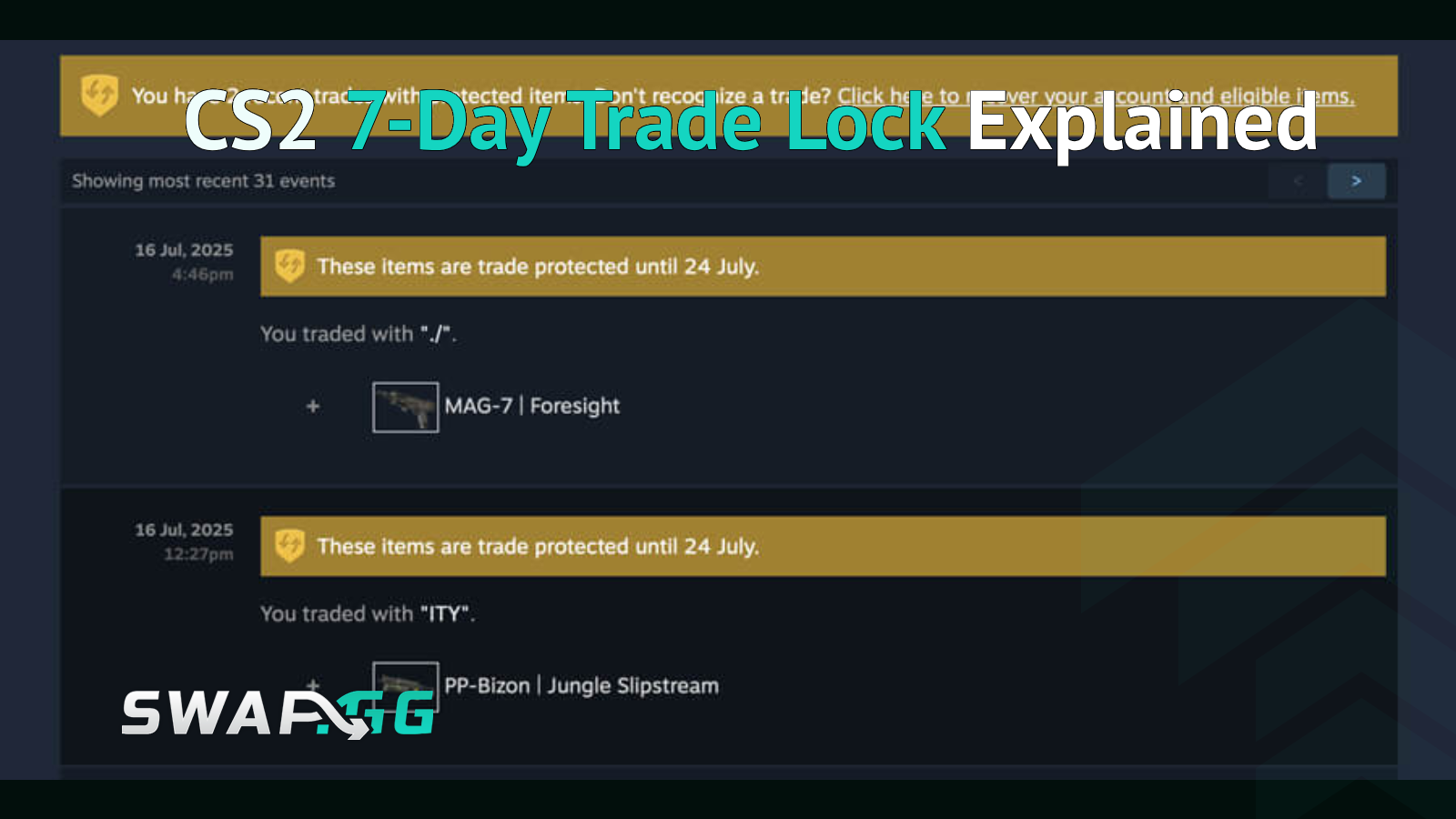
The CS2 7-day trade lock is a Valve-imposed restriction that prevents players from trading or selling skins for seven days after receiving them. It was introduced March 29, 2018, to reduce automated fraud. In July 2025, Valve added a separate "Trade Protection" layer: traded items now carry a yellow shield for seven days during which the sender can reverse the trade, and the receiver cannot modify or re-trade the item until the window expires.
The Original 2018 Trade Lock: How It Actually Works
Before March 2018, you could receive a skin in a trade and immediately send it somewhere else. That speed was the problem. Automated bots were cycling stolen items through accounts fast enough that victims couldn't flag the fraud before the skins were gone. Valve's fix was blunt: every CS:GO item received in a trade gets a seven-day cooldown before it can be traded again.
That rule still applies in CS2 today. When you receive a skin via Steam trade, you own it immediately. It shows up in your inventory, you can equip it, and you can use it in-game. What you cannot do is trade it, list it on the Steam Community Market, or use it in a trade-up contract for seven days. The cooldown is attached to the item, not your account.
Buying from the Steam Market works the same way. Items purchased directly from the Community Market also carry the seven-day lock before they can be moved again. There is no way to shorten this timer. Steam Support will not lift it, and it doesn't matter how long you've had Steam Guard active.
What Triggers a Longer Lock
The standard seven-day lock assumes your Steam Guard Mobile Authenticator is already set up and has been active for at least seven days. If you recently added the authenticator, removed it, changed phones without using Steam's official transfer process, or logged in from a new device, Steam can impose a 15-day trade hold instead. That longer hold applies to your whole account temporarily, not just individual items.
If you're seeing a 15-day wait instead of seven, that's why. Keeping your authenticator active continuously and using the proper phone transfer flow when you change devices avoids it.

The July 2025 Trade Protection Update: A Different Mechanic Entirely
On July 16, 2025, Valve introduced something they called Trade Protection, and it confused a lot of traders because it also involves seven days. It is not an extension of the 2018 lock. It works differently and exists for a different purpose.
Here's what Trade Protection actually does. When you receive a CS2 skin in a trade, the item arrives instantly and you can use it immediately in-game. But for the next seven days, that item shows a yellow shield icon in your inventory. During that window, the person who sent you the item has the ability to reverse the trade. If they trigger a reversal, the item leaves your inventory and goes back to them.
The lock on your end during those seven days is more restrictive than the 2018 version:
- You cannot re-trade the item to anyone else
- You cannot list it on the Steam Market
- You cannot add stickers or charms to it
- You cannot use it in a trade-up contract
- You cannot combine it with non-CS2 items in any trade (since only CS2 items currently carry Trade Protection, mixing them with TF2 skins or other games' items in a single trade is blocked entirely)
After seven days, the shield disappears, the protection expires, and the item trades freely.
The Nuclear Reversal Problem
The part most articles gloss over is what happens when someone actually reverses a trade. This is not a selective process. When a sender triggers a reversal, every trade involving Trade Protected items from the last seven days gets unwound simultaneously. They cannot reverse one trade while keeping the others.
The person who initiates the reversal also receives a 30-day trading and Steam Market ban automatically. Steam Support cannot remove it. The account is also signed out as a security step when the reversal triggers.
This creates a genuine problem for peer-to-peer trades where real money changes hands outside Steam. If you pay someone cash through an external method for a skin, they send it to you via Steam trade, and they then reverse the trade within seven days, your skin leaves but your money doesn't come back. Valve's feature was designed for the opposite scenario (protecting account holders whose skins were stolen by hackers), but it works the same way regardless of who initiated the original trade.
Third-party platforms with escrow systems hold the payment during the seven-day window specifically because of this risk. Platforms that offered instant payouts before July 2025 have largely had to delay payments or build workarounds to account for the reversal window.
What the Trade Lock Means for Buying and Selling Skins
The practical effect differs depending on where you're transacting.
Steam Community Market: You buy a skin, you wait seven days before you can trade it. You can still use it in-game immediately. If you're buying a skin purely for your loadout and don't plan to flip it, the lock is invisible. If you're buying to resell quickly, factor a week of dead time into the math.
P2P trades on third-party platforms: Both the 2018 lock and the 2025 Trade Protection apply. After the trade completes, the receiver's item is locked for seven days and carries the yellow shield during which the sender can still reverse. Platforms that manage this properly hold funds in escrow until the window closes.
Swap platforms: The trade lock behavior depends on the platform. Some platforms let you hold skins on-site during the lock period and complete subsequent transactions without withdrawing to Steam first, which sidesteps the waiting period for consecutive swaps. Check the specific platform's handling of Trade Protected items before assuming instant availability.
The One Bypass That Actually Works
The only legitimate way to use a skin before the lock expires is to use it in-game. You can equip it, take it into a match, and show it in inspect links. What you cannot do is move it anywhere. That's the full extent of the bypass, and it's not really a bypass.
There is no method to remove the lock, and any service claiming to eliminate the trade hold is either misrepresenting what it does or is outright fraudulent. Some third-party platforms allow you to transact on their internal systems using items you haven't withdrawn to Steam yet, and while that gives you flexibility within that platform's ecosystem, the underlying Steam lock hasn't moved.

Опубліковано у CS2